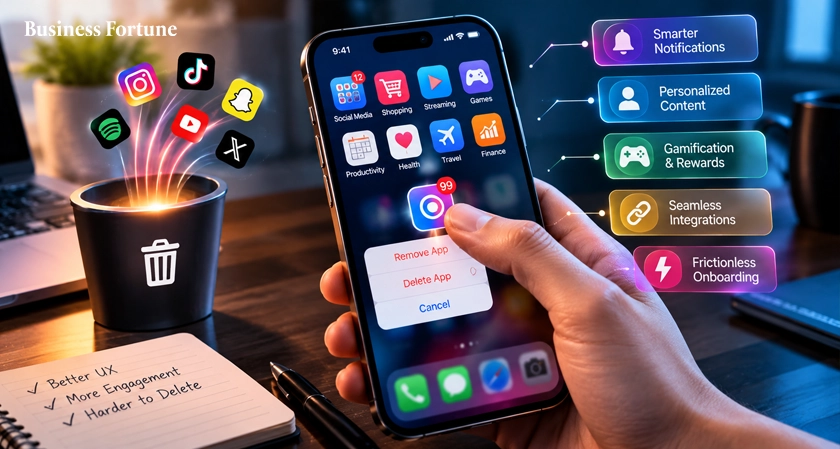
Why do some apps become part of our daily routine while others get deleted in minutes? Explore the top Mobile UX Trends shaping 2026, from smarter AI and personalization to simpler navigation, better onboarding, and frictionless experiences that keep users coming back.
Users expect mobile apps to be quick, simple, pleasant to use and that is exactly why UX designers should focus on current mobile UX trends.
When was the last time you deleted an app. Maybe to free up the storage but more often, it is because using it became annoying. The button you need is not there. You tap one thing and end up somewhere completely different. Then comes the pop-up asking for permission, followed by another one asking you to sign up that feels like filling out a government form. At this point, you are not using the app anymore. You are fighting it.
For UX designers, these tiny moments matter more than they might seem. A user may never complain about a confusing interface. They may simply uninstall and never come back.
Top UX Trends for Mobile Apps 2026
As we are moving towards 2027, businesses started to focus highly on mobile user experience, not only about the visual aspect of the app but more about ensuring everything about it feels effortless to use. So, here are some of the Mobile UX Trends of 2026.
Personalized Experiences
You might casually talk about buying a new watch or liking a particular dress, and suddenly similar products start popping up on your phone. It’s no coincidence or magic, it is personalization.
Rather than offering the same experience for everyone, apps can be personalized based on the user’s preference. This is liked by the users because it saves them time. No one wants to scroll down 50 pages only to pick out two.
For companies, personalization may make their applications feel more useful and relevant. The more often users see interesting content for them, the more often they will use the app. But Personalization should be relevant and useful, not invasive. No one likes when an app knows everything about you.
Faster, Simpler Navigation
One of the major UX trends that mobile apps have to follow is making navigation easier. People do not need to use a treasure map in order to locate common functionalities. These can easily be achieved through the development of well-designed menus, icons, and rational screens.
This needs to be taken into account because the screens are small and the users will be doing other tasks at the same time. They could be in a queue somewhere or even in a bus trying to order dinner. Simple navigation reduces effort. When users get what they want quickly, they are engaged with the app.
Smarter AI Features
AI is increasingly becoming common in mobile app design trends, but some of the most useful AI technologies are not there only due to the fact that AI is appealing to use. Some of the useful uses of AI technology in apps include faster searching, better recommendations, automation, summarization, and receiving information without scrolling through many screens.
For example, an app could understand a natural-language search instead of forcing users to choose from complicated filters. Users appreciate AI when it actually saves them time. That is the key. If used appropriately, AI can make the apps seem very responsive and personalized. This would help increase mobile app engagement and give the user yet another reason to keep the application.
However, don’t introduce AI just because you want to give the feature the status of AI technology. Users would be able to tell the difference.
Better Onboarding
The initial impression is important, particularly if the user has several other applications to choose from. Onboarding refers to the process of teaching the user how to use the application. Previously, some mobile apps would treat the onboarding process as mandatory, whereby users had to swipe through multiple screens before getting to use the actual app.
UX design today is taking a trend towards shorter onboarding processes. Only ask users for information that you need. Inform only about the most essential features and allow users to use the app immediately. Users prefer this onboarding process, because it is much less frustrating for them.
Voice and Gesture-Based Interaction
Typing may not be the most convenient method of interacting with a mobile phone. There are other methods that include voice commands, swipe, tap, long press which could make some tasks easier for the user. Voice interaction becomes useful where a person is too busy to type or finds it difficult to type.
The point is not to take away the traditional controls but provide users with more natural means of completing their tasks. Where there is no difficulty in interacting with an app, users tend to spend a lot of time in the app.
Accessibility-Focused Design
Accessibility is now becoming a crucial aspect of mobile UX. An application which incorporates an accessibility perspective thinks of people with various levels of ability and requirement. This includes readable text, appropriate color contrast, clear buttons, screen reader-friendly features, subtitles, and more.
It can make the overall experience better. The bigger button would be beneficial for the user who has motor impairment, but it could also be helpful in case of using the app while moving. Companies that consider accessibility while designing their UX can create more accessible products, along with better usability.
Dark Mode and Adaptive Interfaces
Dark mode is no more a fancy option. Some people enjoy dark-mode interfaces when the surrounding does not have enough lighting while others just like having a choice of which mode they should use. Adaptive interfaces go even further by changing the user experience depending on device settings, screen properties, preferences, or situation.
The advantage of such interfaces is their flexibility. Not everyone uses applications in the same environment, one person opens the application under the bright sunlight and then uses it in a dark room at night. Therefore, it is nice to provide users with an opportunity to change the look of the interface. Such convenience increases mobile app user retention rate because users will not have reasons to refuse using an app.
Frictionless Payments
Nobody likes getting to the checkout screen only to realize they have to go through seven more screens to complete the purchase. The idea behind frictionless payments is to make payments fast, easy, and secure. Stored payment data, digital wallets, biometric identification, and streamlined checkout screens can help to cut down on all the extra work.
From the point of view of a business, an easier way to pay can lead to lower abandon rates and repeated transactions. The key is simplicity. Fast is good but it should not be confusing. People still have to understand what they are paying for and how much.
Privacy-Centred UX
Today, users are more willing than ever to know what kind of information the application collects and why it would require such information.
Privacy-focused UX helps to communicate all of this to them. Rather than hiding all of the necessary information under lengthy paragraphs, an app can easily inform the user about their permission settings and privacy. Users love being in control. If an app is being honest about collecting any personal information, it can help them gain trust. This is essential to retaining users as trust is an important factor.
Thus, good privacy UX is not just about complying with laws.
How Businesses Can Improve Mobile UX
Businesses do not need to redesign an entire app every few months. Small, thoughtful improvements can make a noticeable difference.
- Test with real users
Never depend solely on your personal views. Observe how people use the application in real life. There is a chance that there are some things that have been ignored by developers due to familiarity.
- Simplify simple tasks
Identify the actions users perform most often and remove unnecessary steps. If ordering, searching, booking, or paying takes too long, find out why.
- Personalize where it helps
Take advantage of user behavior to offer more personalized experiences and recommendations, without going overboard on personalization.
- Listen to the feedbacks
These may include app reviews, support interactions, survey feedback, and even analytics about how customers use your app. At times, the user will tell you precisely what is wrong. They may not use UX terminology, but the message is usually pretty clear.
- Keep testing after launch
User experience is an ongoing process because user expectations change, technology changes, and new devices emerge. Regular testing ensures that the application will always remain relevant for users.
Overall, Business Fortune believes that the largest UX trends are not only about making applications more attractive but about making them easier to use, quicker to operate, more intelligent and comfortable. Improvement in user experience does not mean increasing functionality of the application; rather, it implies that the product should be made more convenient and delightful for users. And in 2026 and further on, this might be one of the easiest ways to retain customers.
FAQs
What are Mobile UX Trends in 2026?
Mobile UX Trends in 2026 include personalised experiences, simpler navigation, useful AI features, better onboarding, voice and gesture controls, accessibility, adaptive interfaces, easier payments, and privacy-focused design.
How does mobile UX improve user retention?
Good UX reduces frustration and makes common tasks easier. When users can quickly get value from an app without unnecessary effort, they have more reasons to return.
Is AI important for mobile app UX in 2026?
Yes, but only when it solves a real problem. AI can improve recommendations, search, automation, and support. Adding AI without a useful purpose can make an app more complicated rather than better.
Why is accessibility important in mobile UX?
Accessibility helps people with different abilities use an app more comfortably. Clear text, readable layouts, captions, strong contrast, and screen-reader support can also make the experience better for many other users.
What is the biggest mobile UX mistake businesses should avoid?
Making users work too hard is one of the biggest mistakes. Complicated navigation, slow screens, excessive notifications, long sign-up forms, and unnecessary steps can quickly turn a useful app into an uninstall candidate.


.webp)































Comments