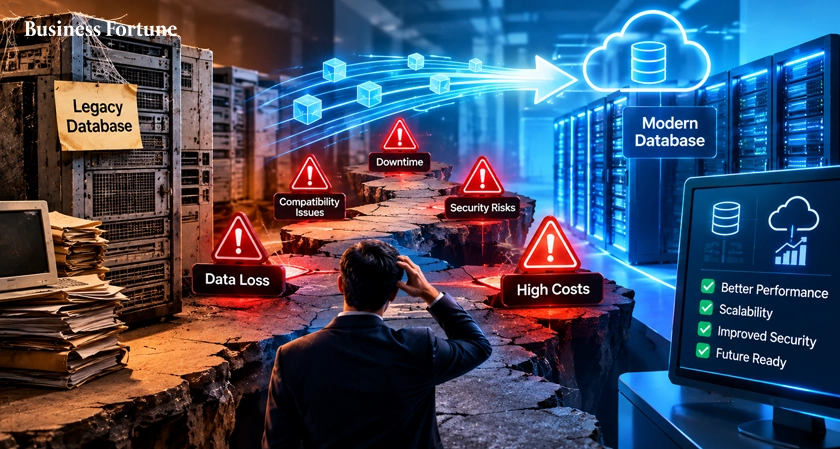
Legacy Database Migration Challenges can turn a promising modernization project into a costly headache. Learn the hidden issues, solutions and smarter strategies for moving critical data without breaking the business.
Moving data from an old database to a new modern platform sounds simple enough. Extract the data, transform it, load it into the new system, test and move on. In reality, Legacy Database Migration Challenges can turn what is a simple IT project into one of the most complicated transformations an organization undertakes.
The thing is, the problem isn't always the database itself.
Years of custom code, undocumented dependencies, inconsistent records, out of date integrations, security requirements, reporting logic and business processes can quietly attach themselves to a database. Now when it turns out an organization is finally ready to move, that "old database" may in fact now hold onto a surprising number of critical operations.
So, before you push the "move" button let's look at what can potentially go wrong and more importantly how to avoid it.
Why Legacy Database Migration Is Such A Big Deal
Think of an old database as an attic.
You know that there are important things in there, but you probably don't know exactly what is stored in every box. Some boxes are labeled. Some aren't. Some have things nobody has touched for years, while others hold documents that someone needs every morning.
Now imagine having to move that entire attic into a new building while people are still using it.
That's essentially what happens during a major database migration.
Organizations often have databases that have evolved over ten, fifteen or even twenty years. Throughout that time developers have added tables, applications have connected to them, analysts have created reports and teams have built processes around information that may never have been formally documented. The database becomes more than just storage, it becomes part of the company's operating system. That's why replacing it takes more than just copying rows from one location to another.
The Five biggest Legacy Database Migration Challenges
- Nobody Knows Everything That's Connected to the Database
One of the big issues that come up before migration even begins is incomplete discovery.
An organization may know exactly what applications are accessing their database, but they may not know everything about the reports, scripts, APIs, ETL jobs, dashboards, scheduled tasks or third party applications that are dependent on the database.
A seemingly harmless table could be feeding a financial report. A forgotten script could be running every night. An application could be expecting a particular field to behave in a very specific way.
Miss that dependency and the issue will likely be seen after migration.
This is why discovery should be treated as an engineering exercise and not just a box ticking exercise. A serious assessment should be made of architecture, dependencies, data quality, compliance requirements, integrations and performance baselines before migration work begins.
- Dirty data doesn't magically become clean data
Here's an unfortunate truth: migration doesn't fix bad data.
If the source database contains duplicate customer records or incomplete addresses, date formats, outdated accounts or conflicting identifiers simply moving it to a new platform just gives those issues a new home.
Data quality is one of those insidious problems that can continue without being seen particularly in the early stages of a project.
Everything looks like it has moved successfully, the record count matches, the migration dashboard is green.
Then someone opens a report and they find that the numbers don't add up.
That's why validation shouldn't be done at the end.
Data needs to be checked throughout extraction, transformation and loading. Rules should be defined for completeness, accuracy, consistency, duplicates and referential integrity.
The point isn't just to move data.
The point is to move trustworthy data.
- Security and compliance can't be added at the finish line
Security is another area in which organizations can get caught out.
A database migration could change where sensitive information lives, who can access it, how it is encrypted, how backups occur and how data moves between systems.
If these questions are left till the final stages, the project may find itself needing costly redesign.
Organizations in healthcare, finance, insurance and other regulated industries have the added challenge that their migration strategy now needs to account for requirements involving privacy, access controls, auditing, retention and regulatory reporting.
Governance has to be part of the architecture from the beginning, not something that is added after the data has already arrived.
- Your new platform isn't automatically your old platform
Another big issue is that expertise with one technology doesn't automatically transfer to expertise with another.
They don't.
Different databases and cloud platforms have unique architectures, capabilities, limitations, APIs, performance characteristics and approaches to security and data processing.
It becomes particularly important during legacy database modernization as modern platforms can offer impressive scalability and flexibility, but it comes at a cost of having to make changes to schemas, queries, stored procedures, ETL pipelines, reports and application logic.
- Timelines have a habit of stretching
Few phrases make executives more nervous than:
"There's been a slight delay."
Migration projects that were estimated to take six months can find themselves stretching due to a number of issues such as: undocumented dependencies, transformation logic needing to be rewritten, testing finding inconsistencies or teams finding out things that cannot be automated as they had expected.
The Risks No One Sees Until Cutover
The most frightening data migration challenges are not the obvious ones.
Sometimes the data successfully arrives on the other end, but the applications don't act as expected.
Sometimes the database works well but a critical dashboard outputs incorrect numbers.
Sometimes performance was great during testing, but becomes terrible when thousands of users begin simultaneous access.
These database migration risks can often be hidden when only testing that the records safely moved.
A good testing strategy would address these tougher questions:
Is the application functioning as expected?
Are calculations yielding the same results?
Are reports accurate?
Are permissions properly enforced?
Can the system support production volumes?
Can the organization rapidly recover from defects?
Migration success is not "the new db is online".
Migration success is "the business works exactly or better, after the move".
Cloud Migration: The Destination Isn't The Strategy
The cloud is an attractive destination for modernizing organizations looking to escape aging infrastructure, but cloud database migration should never be viewed as simply putting the existing database onto someone else's servers.
The cloud changes the operating model.
Organizations must think of scalability, networking, identity, storage, monitoring, backups, cost control, availability and workload architecture.
A poorly planned cloud move can result in replacing one set of problems with a different one.
The better approach is to determine what the organization truly wants in the new environment before choosing the migration path.
A Smarter Way To Approach Migration
Successful migration projects tend to have one thing in common: they do not blindly execute the migration.
The first step should be assessment.
Create a view of the existing environment, identify dependencies, understand data volume and profile the data, document transformations, identify any regulatory requirements and establish performance baselines.
Then create a migration roadmap.
Divide the environment into workloads or phases, instead of viewing the entire environment as one monolithic project.
What About Legacy System Migration?
A database rarely exists in isolation; it is typically connected to applications, reports, integrations, workflows and business processes.
This makes legacy system migration not just about database replacement.
Changing a database schema could impact an application, changing an application could impact reporting and changing that reporting logic could impact management decisions.
That is why dependency mapping is so valuable.
It surfaces the chain reaction before the chain reaction happens.
How To Know You Are Ready?
Before beginning a migration, ask a few tough questions.
Do we know what data we have?
Do we know who owns it?
Do we know which applications are associated with it?
Have we identified any sensitive information?
Have we assessed the source data quality?
Do we understand the target?
Have we tested the transformation logic?
Do we have a rollback strategy?
If the answers are largely "yes", the organization is likely on a good path.
If there are multiple "we'll figure it out later", it is time to pause.
That sentence has a surprisingly expensive history in the technology space.
Do Not Forget The People
While migration is often seen as a technology project, people can determine the success.
Business users understand how the data is actually used, database admin understands the source, developers understand application dependencies, security understands compliance needs and data engineers understand pipelines and transformations.
Get them involved.
The Best Migration Is The Boring One
Nobody is patting themselves on the back for a migration where nothing exciting happened.
And that is good, it can be a sign of success.
A successful migration should feel almost uneventful to the end user, reports open, applications work, records are accurate, permission remains in place, performance is stable and nobody's spending Monday morning searching for their customer data.
That is a boring migration and boring migrations tend to be the best kind.
It comes from doing the hard work before flipping the switch.
Legacy Database Migration Challenges are not caused by one big catastrophically technical error, but more often a confluence of smaller ones: discovery, data quality, security, compatibility and unexpected dependencies, testing, time constraints and governance.
Business Fortune believes that the solution is not to avoid modernization, in many organizations, staying on aging infrastructure has its own problems.
FAQs
What are Legacy Database Migration Challenges?
They are the technical, operational and organizational problems faced by an organization trying to move from an existing database environment to a modern platform. Common issues include lack of discovery, data quality, security problems, compatibility issues and unexpected dependencies.
Why do database migrations fail?
Migrations can fail when the organization underestimates the complexity of the existing environment. Inadequate planning, incomplete dependency mapping, poor data validation, unrealistic time expectations and insufficient testing are common contributors to migration failure.
How can organizations reduce migration risks?
Organizations can reduce risks through comprehensive discovery, data profiling, continuous validation, incremental migration, automated testing, security planning, performance testing and having a rollback strategy.
Is moving a legacy database to the cloud enough to modernize it?
Not necessarily. Moving a legacy database to the cloud is changing the hosting environment, but true modernization may involve architectural redesigns, improved data pipelines, application enhancements, increased data governance and taking advantage of the modern platform's capabilities.
What is the first step in a database migration?
The first step should be assessment of the existing environment. Organizations should understand the data, dependencies, integrations, applications, quality issues, security requirements and performance before choosing a migration strategy.


.webp)































Comments