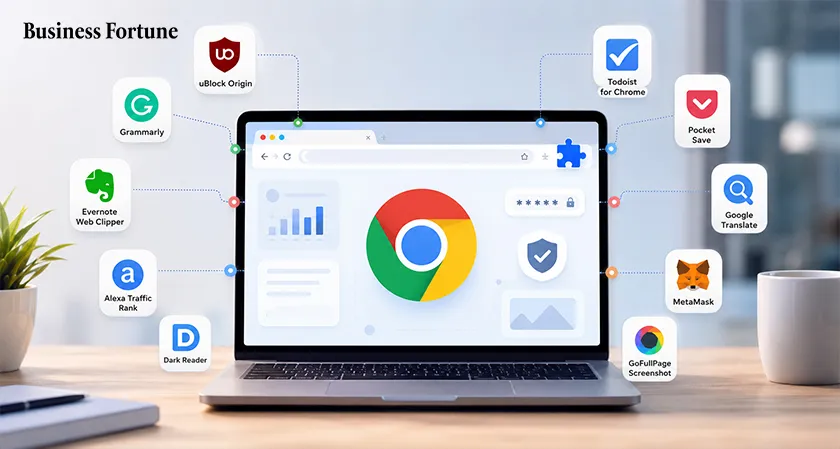
Discover the best Google Chrome extensions for 2026, covering AI, productivity, student tools, business, privacy and browser security.
Just think of the last time when you opened Chrome in order to do some work, but ended up switching between ten different tabs or even copying data from one application to another. Does it ring any bells? This is the area in which browser extensions can help. There are many tools that can transform the experience of regular web surfing into something more organized, efficient and personalized without requiring the user to modify how they do things. There are tools available for almost any task from studies and writing to business to personal activities and AI assistance. But with so many choices to choose from, it becomes difficult to pick out the good ones. Here is a list of the Best Google Chrome extensions that you should know about in 2026 and what makes them worthy to be in your browser.
What Are Chrome Extensions?
Chrome Extensions are small pieces of software that can be added to your Google Chrome browser. The purpose of the extensions is either to increase the capabilities of the browser or make your work easier. They include things from spell-checkers to password managers and shopping assistants.
How Do Chrome Extensions Work?
Chrome Extensions operate through permission and API interactions with websites and features that Chrome already offers. An installed extension will have the capability to perform certain actions in the background or within the website. It can do things such as block ads, saving data, modifying content, or sending alerts, among other functions.
Why AI Chrome Extensions Still Matter in 2026?
There will always be some importance of having the AI Chrome extension considering that these tools can help integrate writing, research, summarizing and productivity tools into the browser. There will be no need for switching tabs when users can use all these functions while reading articles, writing emails, data analysis, and working on documents at the same time. By 2026, Chrome will be more enhanced by incorporating other AI applications and therefore people will wonder if the extension is providing anything extra compared to the browser.
Which Free Chrome Extensions Should You Have in Your Pocket?
Chrome is user-friendly even the moment you install it; however, there are some extensions that can definitely make using Chrome every day a whole lot easier. Be it for improving your writing skills, organizing your tabs, saving information, focusing on work, and many other things, some extensions can do all this without causing too much fuss. Below are six free Chrome extensions worth trying.
Grammarly
Grammarly is a convenient tool for writing in Google Chrome that will allow users to check their spelling, grammar, punctuation and clarity while typing. Grammarly may prove helpful in writing emails, assignments, social media messages, or office work directly in the web browser.
Bitwarden
The Bitwarden enables one to organize passwords without remembering each password used on different login credentials. Its Chrome browser extension helps fill in saved passwords and creates passwords for any account creation. Being an accessible service, the use of the Bitwarden is convenient for anyone looking for a good password organizing service.
OneTab
If your browser gets filled up with tabs all the time, OneTab will provide a good solution for this problem. This browser extension allows you to collect all your opened tabs in one list that will make the process more convenient. It may be especially helpful for students or researchers.
Google Keep
Google Keep offers a fast and easy way to save helpful data from the internet. One can make notes, bookmark pages and other data while browsing through websites and later retrieve it. These notes can be shared via Google Keep on various devices; thus, it is helpful to those such as students, scientists, writers, or people collecting information in general.
Dark Reader
Dark Reader is made for users who like to browse with dark background colors. This application allows you to turn any website into a dark one if the website itself does not have such an option. You can change different settings including brightness, contrast, sepia, etc.
StayFocusd
StayFocusd has been designed for all those people who end up spending more time than required on distractive sites. This add-on makes it possible for users to block their access to certain websites or control the amount of time spent on them. It could be used by both students and professionals as a basic tool for concentration.
Which Chrome Extensions Can Help Students Stay Productive in 2026?
The right Chrome extensions can make researching, writing, time management and studying easier. Here are five such examples from the list of Top Chrome Extensions 2026 that cater to the various requirements of students.
Which AI Chrome Extensions Are Worth Trying in 2026?
With dozens of AI extensions on offer, selecting a particular one can become complicated. This list of five, on the other hand, is distinguished by the unique features of each one of them.
Monica:
Monica uses several AI models together in a single browser sidebar. This makes it relevant for those looking to use writing, translation, research and image-generating AI together.
- Best for: All-purpose AI assistance
- Pricing: Free plan + paid plans
Sider:
Sider allows you to access and compare the responses from different large language models without switching between tabs. It comes handy especially when different models provide different responses.
- Best for: Comparing AI responses
- Pricing: Free plan + paid plans
Merlin AI:
Merlin integrates artificial intelligence into websites that help users with summarizing, analyzing information and answering questions while they are browsing the Internet.
- Best for: Research and content creation
- Pricing: Free plan + paid plans
Wiseone:
Wiseone aims at simplifying the online content that is not easy to comprehend. It is capable of summarizing articles and providing explanations as one goes through reading.
- Best for: Reading and research
- Pricing: Free plan + paid Pro
Bluedot:
Bluedot is able to record, transcribe and summarize online meetings without needing a visible bot in the meeting. Bluedot is also able to associate notes with enterprise applications.
- Best for: Meeting notes and summaries
- Pricing: Free plan + paid plans
What Can AI Chrome Extensions Do for Your Business?
For sales and marketing teams, AI gets more applicable if it is integrated into the software they use now. Chrome Extensions for Business Chrome AI Extensions may assist teams to find leads, increase their outreach, analyze customers and track meetings all in one place.
Cognism Sales Companion
Cognism Sales Companion converts Chrome into a prospecting platform by providing contact and company insights inside LinkedIn, Sales Navigator and business websites. It can assist sales professionals in identifying potential prospects, enhancing lead data and analyzing whether a company qualifies for their perfect customer profile or not.
Lavender
Lavender is an artificial intelligence-powered email coach designed for salespeople looking to enhance their effectiveness. It offers analysis on emails and makes recommendations about clarity, personalization, tone and engagement. Through its integration into email workflow, it enables salespeople to save time on rewriting emails and use that time to connect with prospective clients.
Crystal
Crystal offers a different perspective because it uses public information to give insights into the personality of prospects. The sales representative can use these insights to tailor his/her communications according to the personality of the prospect. For teams that deal with many prospects at once, Crystal can be very helpful in this regard.
Seamless.AI
Seamless.AI primarily helps business identify B2B leads and contacts by researching the internet. This Chrome plugin can help sales personnel obtain such lead information from business websites or professional networks, which enables them to do less legwork manually. This tool would be especially beneficial for companies that depend heavily on prospecting and lead generation.
Is Your Chrome Browser as Safe as You Think?
There is inherent security on Chrome, but additional security measures might help. The Chrome Security Extensions will block trackers, alert you to phishing and malicious sites, reduce unwanted data collection and allow you greater control over what goes on in the background.
Guardio
Guardio uses an active security strategy that ensures that while using your browser, any possible risks present in websites and downloads are identified. Guardio is able to detect any dangerous extensions and phishing attempts, therefore being beneficial for users who desire extra security without continuous link monitoring.
Privacy Badger
Privacy Badger is aimed at the trackers operating behind the scenes on the websites you visit, it does not block all trackers but learns what trackers seem to be tracking your movements across multiple websites and blocks them. Privacy Badger provides a simple choice for those who want enhanced privacy without tweaking their filter lists.
ClearURLs
Have you ever seen an extremely long URL that appeared after you clicked on something from the search results or ad? ClearURLs will remove tracking data from the URLs before passing them on. It works silently in the background, helping to cut down unnecessary data attached to URLs while also providing a more privacy-friendly surfing experience.
Cookie AutoDelete
Cookie are used by sites to save the user session information; however, the presence of irrelevant cookie may also lead to privacy issues. The Cookie AutoDelete add-on deletes cookies after the browsing process and allows users to save cookies on trusted sites. It is especially helpful for users looking for better browser storage management.
DuckDuckGo Privacy Essentials
DuckDuckGo Privacy Essentials helps users understand in easy terms how websites keep their privacy safe. The program can block invisible trackers, promote secure connections and give out privacy information without any technical know-how on the user’s end. It is perfect for users looking for an easy insight into website operations.
So, Where Are Chrome Extensions Headed Next?
Chrome extensions will definitely become something more than just a tool for improving browsing experience; they will begin acting like a smart personal assistant understanding your needs. Artificial intelligence will help to analyze the page, make research, perform usual tasks and customize your workflow without your participation. Privacy will also come into play because these services will have access to increasing amounts of browsing activity. Looking at the issue from a wider perspective, the future may not be about having lots of different extensions, but rather a few that can multitask. With the increasing reliance on AI by browsers themselves, any successful extension must bring value and utility to the users instead of mere automation.
FAQs
What makes a Chrome extension worth installing in 2026?
A useful extension should solve a real problem, save time, improve productivity, or add a feature that Chrome does not offer by default. It should also come from a trusted developer and request only necessary permissions.
Which Chrome extensions can help students get more done?
Tools such as OneTab, Web Highlights, Clockify, Todoist, and Screencastify can make studying easier by helping with research, tab organization, time tracking, task management, and presentations.
Can AI Chrome extensions really save time?
Yes. AI extensions can summarize lengthy webpages, answer questions, assist with writing, compare responses from different AI models, and turn meeting discussions into notes, reducing the need to jump between multiple tools.
Are there Chrome extensions specifically designed for business users?
Yes. Extensions such as Cognism Sales Companion, Lavender, Crystal, and Seamless.AI can support sales and marketing teams with prospect research, lead generation, email improvement, and customer communication.
What should you check before installing a Chrome extension?
Look beyond the ratings. Check the developer, permissions requested, privacy practices, recent updates, and user reviews. An extension that asks for more access than its purpose requires may not be the right choice.


.webp)






























Comments