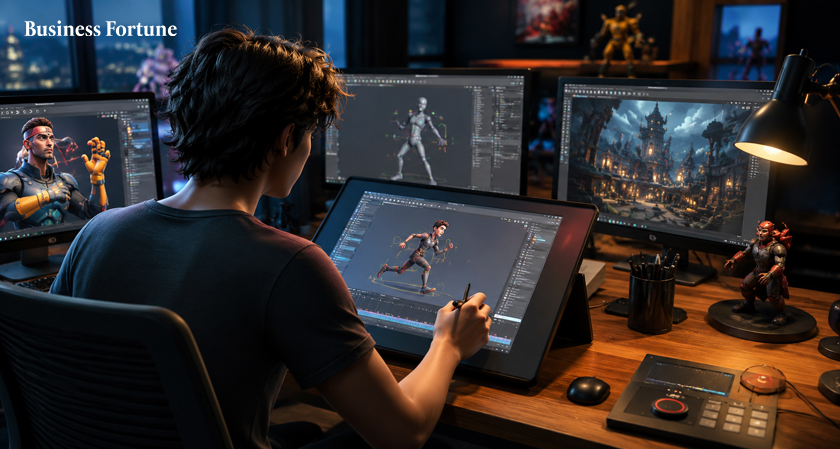
The best animation softwares 2026 are changing how artists, filmmakers and content creators turn imagination into movement. Here are five standout platforms worth knowing.
Animation Has Entered Its Fast Lane
The best animation softwares 2026 aren't simply about drawing characters frame by frame anymore. Today's creative landscape combines 3D worlds, motion graphics, visual effects, digital drawing, simulations and increasingly clever AI assisted workflows.
That shift means choosing animation software can feel a little like walking into a giant candy store; everything looks tempting, but you need to know what actually belongs in your bag.
The good news? You don't need every tool on the market. The right choice depends on what you want to create.
For this guide, we've narrowed the field to five major names; Autodesk Maya, Blender, Adobe After Effects, Cinema 4D and Toon Boom Harmony. So, whether you're dreaming of cinematic characters, eye catching YouTube visuals or beautifully crafted cartoons, let's explore the software that can turn that blank canvas into something that moves.
- Autodesk Maya
When the project demands serious character animation, detailed environments and professional visual effects, Maya is difficult to ignore.
Maya's strength is its depth. Artists can build models, create rigs, animate characters, develop effects and render complete scenes within a sophisticated production environment.
The 2026 generation is particularly interesting because Autodesk is pushing AI assisted workflows further. Maya 2026.1 introduced MotionMaker, designed to help artists generate natural character movement without leaving the application or requiring external motion capture equipment. Maya also includes tools for keyframe animation, motion capture, rigging, deformers, nonlinear animation and retargeting.
Best for: Film, television, games, character animation and high end 3D production.
The catch: Maya's enormous feature set can be intimidating for someone opening animation software for the first time.
- Blender
Blender is free and open source, yet its capabilities stretch across modeling, rigging, animation, simulation, rendering, compositing and motion tracking.
That combination makes Blender unusually attractive. You can start with nothing more than a computer and curiosity, then gradually explore increasingly sophisticated workflows.
Blender's official platform highlights its animation and rigging capabilities, including skeletons, automatic skinning, a curve editor, dope sheets and sound synchronization. It also supports 2D drawing directly within a 3D environment making it one among the best animation tools for creators.
Best for: Independent artists, students, game developers, 3D artists and creators looking for powerful software without a traditional software licence.
- Adobe After Effects
Not every animation project needs a fully modeled 3D universe. Sometimes you simply need text to explode onto the screen, a logo to glide perfectly into position or a video to suddenly look cinematic.
That's where Adobe After Effects shines.
Adobe's current version goes beyond basic motion graphics. It supports animated text and illustrations, visual effects, tracking, compositing and 3D workflows. Adobe has also introduced AI Object Matte, allowing users to isolate moving subjects with AI assisted selection.
This makes After Effects particularly useful for creators who work with video. You can animate titles, create transitions, build effects and combine 2D elements with 3D objects.
It is also deeply connected to the wider Adobe ecosystem, making it convenient for creators who already work with Premiere Pro, Photoshop and other Creative Cloud applications.
Best for: Motion designers, YouTubers, video editors, advertisers and visual effects artists.
The catch: After Effects is incredibly capable, but its interface and workflow can take time to master.
- Cinema 4D
Cinema 4D has earned a reputation for making sophisticated 3D animation and motion design feel approachable. The software's Motion System supports reusable animation segments, animation layers and motion clips, animation software for video creators, giving artists ways to organize and remix movement.
The 2026 releases have continued expanding its procedural and simulation capabilities. Recent updates added new MoGraph distribution options, liquid simulation improvements, particle features and other workflow enhancements.
Imagine animated product advertisements, futuristic title sequences, looping social media graphics or an entire city made from repeating shapes. Cinema 4D is particularly comfortable in that territory.
Best for: Motion designers, advertising teams, 3D artists and video creators who want polished visual animation.
- Toon Boom Harmony
Sometimes you don't need photorealistic 3D. You need a character with personality, a pencil style animation and a story that feels handmade.
That's where Toon Boom Harmony enters the picture.
Harmony supports several approaches to 2D production, including traditional, paperless and cut out animation. Its tools allow artists to build rigs, animate drawings and create movement without repeatedly redrawing every part of a character.
Its digital animation workflow also includes motion paths, key frames, camera movements and adjustable easing, giving animators detailed control over how scenes move.
For anyone passionate about animated series, character driven storytelling or a classic hand drawn look, Harmony deserves serious attention.
Best for: 2D artists, animation studios, cartoon creators and character focused productions.
How to Choose the Right Animation Software
The best animation software for one creator could be completely wrong for another.
Start by asking one simple question; what do you actually want to make?
Then there's learning time. More features don't automatically mean better results. A program you understand well can produce better work than an intimidating application you barely know how to operate.
2D vs 3D: Which Direction Should You Take?
Choosing between 2D and 3D is less about which technology is "better" and more about which visual language fits your idea.
2D animation software is fantastic for cartoons, explainer videos, illustrations, educational content and stylized storytelling. It can feel expressive, personal and wonderfully imperfect.
3D animation software, meanwhile, opens the door to realistic characters, virtual environments, product visualization, game assets and cinematic effects.
Where AI Fits Into the Top Animation Software in 2026
AI is becoming one of the biggest conversations in animation, but it isn't replacing artistic judgment. Instead, the more interesting development is AI helping artists handle repetitive or technically demanding tasks.
These developments point toward a future where artists spend less time wrestling with repetitive processes and more time deciding what a scene should actually communicate. That is why AI animation software is worth watching in 2026; not because pressing a button suddenly makes someone an animator, but because smart assistance can remove some of the tedious work between an idea and the finished shot.
What About Beginners using the AI Animation Tools 2026?
If you're new to animation, don't make the mistake of choosing software simply because professionals use it. Professional animation software can be fantastic, but the learning curve can be steep.
The best approach is to choose one platform, follow a structured learning path and actually finish small projects. Your first animation doesn't need to win an award.
What Makes Great Animation Software?
Great software isn't just about having hundreds of buttons. Look for a workflow that makes sense for you. Keyframe control, rigging, rendering, compositing, asset management and playback performance can all influence your experience.
Compatibility matters too. If you're working with a team, check whether the software fits the file formats and applications already used in the production pipeline.
Hardware should also be part of the decision. Large 3D scenes, simulations and high resolution rendering can place significant demands on your computer, while some 2D workflows may be considerably lighter.
Finally, don't underestimate community support. Tutorials, forums, documentation, plugins and training can make a difficult program much easier to learn.
Animation in 2026: The Bigger Picture
The animation industry is moving toward increasingly hybrid workflows.
A creator might sketch a character in 2D, build the environment in 3D, animate movement with keyframes or AI assistance, add visual effects in a compositing application and finish everything as a video for social media. That means the idea of a single "perfect" animation application is becoming less useful.
Instead, creators are building tool stacks; different applications working together to produce one final piece.
For video creators, this can be especially powerful. A short social video might combine animated typography, 3D objects, AI assisted masking, music, transitions and traditional editing. The software is becoming more capable. The exciting part is what creators do with it.
Business Fortune believes that the best animation softwares 2026 aren't necessarily the ones with the longest feature lists. They're the ones that match the way you think, create and tell stories. The real winner, however, is the creator who stops comparing tools and starts making things.
Pick one.
Learn it.
Make something weird.
Then make something better.
That's where animation gets interesting.
FAQs
What are the best animation softwares 2026?
The five highlighted in this guide are Autodesk Maya, Blender, Adobe After Effects, Cinema 4D and Toon Boom Harmony. The right choice depends on whether you need 2D, 3D, motion graphics, visual effects or character animation.
Which animation software is best for beginners?
Blender can be an appealing starting point because it is free and provides a broad range of creative capabilities as animation software for beginners. However, beginners should choose based on the type of animation they want to learn rather than features alone.
What is the best software for professional animation?
Maya and Toon Boom Harmony are strong choices for professional production, depending on whether the project is primarily 3D or 2D. After Effects and Cinema 4D are also widely suited to professional motion-design and video workflows.
Is Blender really free?
Yes. Blender is free and open source. Its official project includes tools for modeling, animation, rigging, rendering, compositing and more.
Will AI replace animators?
AI is more likely to change animation workflows than simply replace animators. Current tools such as Maya's MotionMaker and AI features in After Effects are designed to assist with tasks such as generating movement and isolating subjects, while creative decisions remain important.


.webp)


























Comments